New York, NY · Enterprise Salesforce expertise+1 (347) 254 7642
Salesforce integration services in New York City exist because no serious business runs on one system. Sales lives in Salesforce, but invoices live in NetSuite or SAP, positions live in a portfolio platform, policies live in an admin system, and students live in an SIS. When those systems do not talk, people re-type data between them, numbers drift apart, and the board pack takes a week to reconcile. Zivoke connects Salesforce to the rest of your stack for companies in Midtown, the Financial District, Hudson Yards, Brooklyn, and across the metro.
We design each connection so it is clear which system owns which data, what happens when a call fails, and who gets told. The result is one version of the truth that your teams, your finance department, and your auditors can all rely on.
Salesforce integration is the work of moving data and events between Salesforce and other systems reliably, securely, and at the right speed. It sounds like plumbing, and in a sense it is. But bad plumbing floods the building, and bad integration floods your org with duplicates, stale numbers, and silent failures.
A complete integration engagement covers:
New York raises the stakes on each item. Firms here often run older core systems next to modern SaaS, operate several legal entities, and answer to regulators and clients who want to know exactly where customer data travels. Integration done well makes those questions easy to answer.
Most teams that call a Salesforce integration partner in NYC describe the same symptoms in different words.
The swivel-chair team. Operations staff copy orders, invoices, or client details from one screen to another every day. Errors creep in, and nobody can say how many.
The disagreeing reports. Sales says revenue is one number, finance says another, and the leadership meeting starts with an argument about which is right.
The fragile script. Someone built a nightly sync years ago. It lives on a server under a desk or in a cloud function nobody owns. When it breaks, the first sign is an angry user.
The new platform. A firm is adding Data Cloud, Agentforce, a new billing system, or a new ERP, and needs Salesforce wired to it properly the first time.
Common signs that integration should be your next project:
If your org itself still needs building, start with our Salesforce implementation partner in New York City. If MuleSoft is your chosen platform, see MuleSoft consulting services in New York City.
These are the connections New York clients ask for most. Each is built, tested, documented, and monitored the same way. Salesforce API integration in NYC projects usually combine several of them.

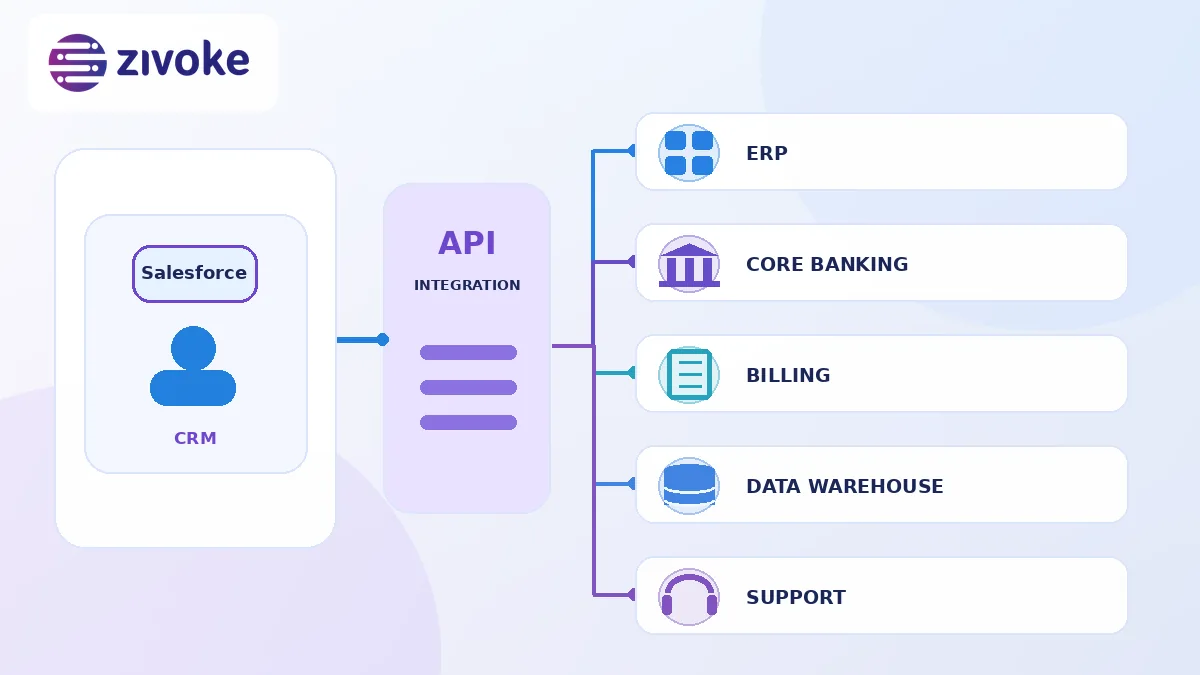
Salesforce ERP integration in NYC is the most common request we see. We connect Salesforce to SAP, Oracle NetSuite, Microsoft Dynamics, Sage Intacct, and similar platforms so accounts, products, prices, orders, invoices, and payment status flow both ways. Sales sees credit holds and payment history without leaving the opportunity. Finance receives clean orders without re-keying. We agree with your controller which system is the source of truth for each field before any code is written.
Banks, wealth managers, and asset managers need client and account data from systems that were never designed for modern APIs. We connect Salesforce to core banking in New York firms through platforms such as Temenos T24, Infosys Finacle, Oracle FLEXCUBE, and FIS, and to portfolio, custody, and planning tools that advisors depend on. Financial Services Cloud then shows households, holdings, and relationships in one place. Where only file exports exist, we build controlled batch loads with reconciliation.
SaaS, media, and membership businesses need contract and usage data in Salesforce to manage renewals and expansion. We integrate billing and subscription platforms and payment processors so account managers see what each customer pays, what they use, and when their contract ends.
We connect web forms, marketing automation, and product analytics so leads arrive in Salesforce with source and context intact. For firms moving to a unified data layer, Salesforce Data Cloud integration in NYC brings in data from warehouses such as Snowflake, Databricks, and BigQuery, resolves identities, and makes the combined profile available to sales, service, and Agentforce.
Service teams work faster when calls, chats, and emails land on the right case automatically. We integrate contact-center platforms, telephony, Slack, and document systems so agents see the full history and managers see real handling times.
Universities need student information systems connected to admissions and advising. Insurers need policy administration and claims systems. Healthcare organizations need scheduling and referral data handled under HIPAA rules. We have integrated each of these patterns and plan around their usual quirks.
Choosing the wrong pattern is the most expensive mistake in Salesforce integration. A real-time call where a nightly batch would do adds cost and fragility. A nightly batch where users need live data frustrates everyone. We choose per flow, not per project.
| Pattern | Use it when | Salesforce tools |
|---|---|---|
| Real-time request | A user needs an answer now, such as a credit check or a price | REST and SOAP APIs, Apex callouts, Named Credentials |
| Event-driven | Other systems must react to a change within seconds | Platform Events, Change Data Capture, Pub/Sub API |
| Scheduled batch | Large volumes can move on a timetable | Bulk API 2.0, scheduled jobs, middleware |
| Middleware or iPaaS | Many systems, transformations, and reuse | MuleSoft, Boomi, Workato, and similar |
| Data federation | Data should stay where it is but be visible | Salesforce Connect, Data Cloud zero-copy |
Most New York integration landscapes use three or four of these at once. The design document records which pattern each flow uses and why, so future changes do not quietly undo the reasoning.
Our Salesforce system integrators in New York City follow the same four stages on every engagement, whether it is one connection or twenty.
inventory systems, flows, owners, volumes, and current failure points.
choose patterns, write data contracts, plan security, and agree error handling.
develop and test each flow in sandboxes with realistic data volumes.
go live with monitoring and alerts, hand over the runbook, and support the first weeks.
Each flow is released on its own, so value arrives early and risk stays small. A typical first release connects the one or two systems that cause the most manual work. With access granted and scope signed, work can start within three days, and first flows commonly reach production within a few weeks, depending on how ready the other systems are.
These examples show the shape of typical New York integration work. They are composites of common requests, not named client results.
Advisors at a Midtown wealth management firm work in Financial Services Cloud but check holdings, performance, and cash in a separate portfolio system, and client documents in a third. Before a review meeting, an associate spends an hour assembling a binder. The integration brings positions and balances into Salesforce each night through a controlled batch load, pushes new client and account details to the portfolio system in near real time, and links documents from the vault so they open from the household record. Advisors prepare from one screen, and the associate's hour goes back to client work. The data contract states clearly that the portfolio system owns holdings, so nobody edits them in Salesforce by mistake.
An advertising sales team in the Flatiron District closes deals in Salesforce, but traffic and billing teams re-key each insertion order into the ad server and the finance system. Mistakes show up as make-goods and disputed invoices. The integration sends approved orders from Salesforce to the order management and billing systems with line items intact, then returns delivery and invoice status to the opportunity. Account managers see what ran, what was billed, and what was paid without emailing three teams. Finance gets clean orders at the start of the month instead of a backlog at the end.
A New York university recruits in Salesforce, but enrollment decisions and student records live in its student information system. Admissions staff export spreadsheets each week to keep both in step, and the busiest weeks of the year are when the exports break. The integration moves admitted students to the SIS automatically, returns deposit and enrollment status to Salesforce, and pauses non-essential syncs during peak decision weeks to protect performance. Counselors see a student's real status without asking the registrar.
Each scenario follows the same method: map the flow, agree who owns each field, choose the simplest pattern that meets the timing need, and monitor it from day one.
Few New York firms can connect everything at once, and few should. Integration work goes best as a roadmap of small releases, each one removing a specific manual task.
We rank candidate flows by three factors: hours of manual work removed, risk of the current workaround, and how ready the other system is. A flow that saves forty hours a month and touches a modern API goes first. A flow that depends on a vendor upgrade next year waits. The roadmap is reviewed each quarter, because priorities and systems change.
This approach also makes budgeting easier. Instead of one large integration program, finance approves a release at a time, each with a clear before-and-after measure. Teams see value within weeks, which builds the support needed for the harder connections later on.
Most integration failures are not technical. They come from two systems both believing they own the same field. The billing system updates an address, Salesforce overwrites it overnight, and a client receives a renewal at an office they left last year.
Before building anything, we write a data contract for each flow. It answers six questions:
Your business owners sign off each contract. Six months later, when someone asks why an address changed, the answer is in writing.
Every integration is a door into your data, which is why security reviewers in New York examine them closely. Firms regulated by the New York State Department of Financial Services work under 23 NYCRR Part 500, which includes requirements on access privileges, encryption, and oversight of third-party service providers. Businesses holding private information about New York residents also fall under the NY SHIELD Act's data security requirements.
We are integration specialists, not lawyers, and we do not give legal advice. Your compliance team defines the requirements. We build integrations that make them straightforward to meet:
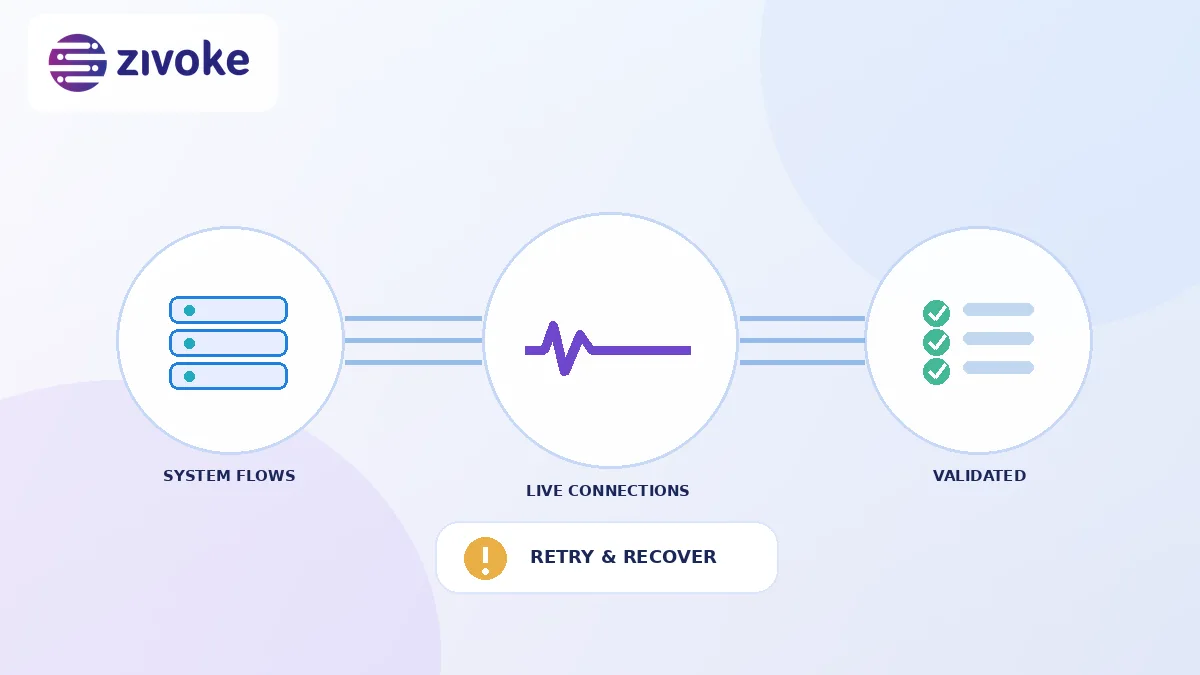
An integration that works on launch day can fail next Tuesday when a password expires or a partner changes an API. The difference between a minor issue and a crisis is how quickly someone notices.
Every integration we build includes:
If you would rather not watch these yourself, our managed support team can monitor them for you under an agreed SLA.
When integration works, people stop noticing it. Reps stop asking finance whether an invoice was paid. Month-end close stops depending on a spreadsheet that one analyst maintains. We agree measurable targets at design, such as hours of manual entry removed, error rates, and data latency, and report against them after launch.
A Zivoke build that shows our approach to connected processes is for AstroLabs, a Dubai-headquartered firm that helps companies establish themselves in Saudi Arabia. Its EnterKSA service tracks clients through more than thirty steps involving several government bodies. We built the solution on Sales Cloud and Community Cloud, with automation driving status, dates, and reminders, KPI reporting for management, and a client portal showing progress and certificates. It ran from October 2022 to May 2023; the AstroLabs case study has the details.
That was not a New York project, but the lesson carries: when status, data, and client visibility live in one connected system, teams stop chasing updates. For New York clients, our Salesforce integration services are built to deliver data that matches across systems, failures caught before users see them, and an integration inventory your security team can sign off. Client reviews are on our Clutch profile.
Companies choose a Salesforce integration partner in NYC for reliability more than features. They want connections that keep working, a clear record of what was built, and a team that answers when something changes. Zivoke is a New York-based Salesforce partner, and our work is reviewed independently on Clutch.
Our certifications include:
What you get on every integration project:
We also tell clients when not to integrate. Sometimes a small manual step, done weekly, costs less than a connection that needs constant care.
Each sector brings its own systems and rules, so we plan integrations around them from the first workshop.

| Industry | Typical integrations |
|---|---|
| Banking and wealth management | Core banking, portfolio and custody platforms, KYC providers, document management. See Salesforce for financial services. |
| Insurance | Policy administration, rating engines, claims systems, and broker portals |
| Media and advertising | Ad servers, order management, billing, and audience data platforms |
| Higher education | Student information systems, admissions platforms, and advancement databases. See Salesforce for higher education. |
| SaaS and technology | Product usage, subscription billing, and data warehouses |
| Healthcare | Scheduling, referral, and patient engagement systems, with HIPAA-aware data handling |
We work with companies across Manhattan, Brooklyn, Queens, the Bronx, and Staten Island, and across Westchester, Long Island, the Hudson Valley, and Northern New Jersey. Most work is remote. We come on-site for discovery workshops with system owners, and for cutover when several teams need to be in one room. We work on Eastern Time, alongside your IT, finance, and vendor teams.
Integration projects involve people outside Salesforce: ERP owners, core banking vendors, data engineers, and security. We run joint working sessions, keep a shared design document everyone can read, and track open questions to closure, so the project does not stall waiting on another team.
Need custom code alongside the connections? See our Salesforce development services in New York City.
Tell us which systems your teams copy data between today. We will map the flows, show you the right pattern for each, and give you a plan you can take to your IT and finance leads.
Book a free scoping call